MiniAD
IT & Ops · Identity

MiniAD

Active Directory in your pocket. Manage users, computers, groups, and reset passwords from anywhere.

iOS 17.6+ iPadOS Android LDAP / LDAPS
Download on the App Store
Support Privacy policy
Users
Manage
Computers
Track
Groups
Control
Reports
Built-in
Features

Complete AD management on mobile.

Dash

Interactive dashboard

Account-status charts you can drill into.

Tree

Directory tree

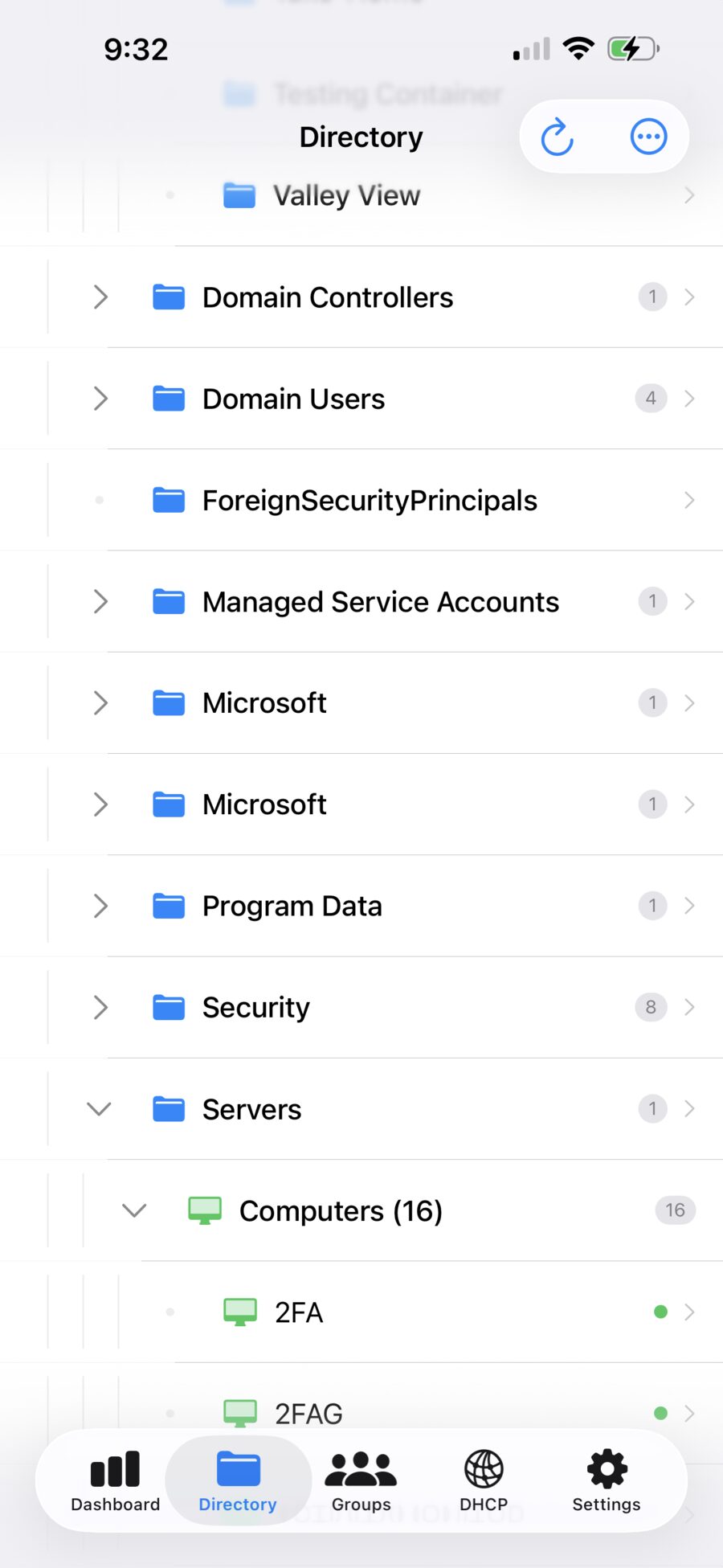
Browse OUs, users, computers, and groups by location.

Users

User management

View, create, edit, and disable user accounts.

Reset

Password resets

Reset and unlock accounts from your phone.

Comp

Computer management

Domain-joined machines with last-logon timestamps.

Groups

Group management

Security and distribution groups with membership.

Reports

Comprehensive reports

Stale, expiring, locked, and disabled accounts.

Audit

Audit logging

Tracks every action taken in the app.

DHCP

DHCP management

Scope and lease visibility for IP allocation.

How it works

Three steps to a managed domain.

Connect

Add server

Configure your DC over LDAP or LDAPS.

Auth

Authenticate

Domain admin sign-in stored in the device keychain.

Manage

Manage your domain

Browse, reset, and report from anywhere.

Screenshots

A look inside.

Running against a live domain on iPad and iPhone.
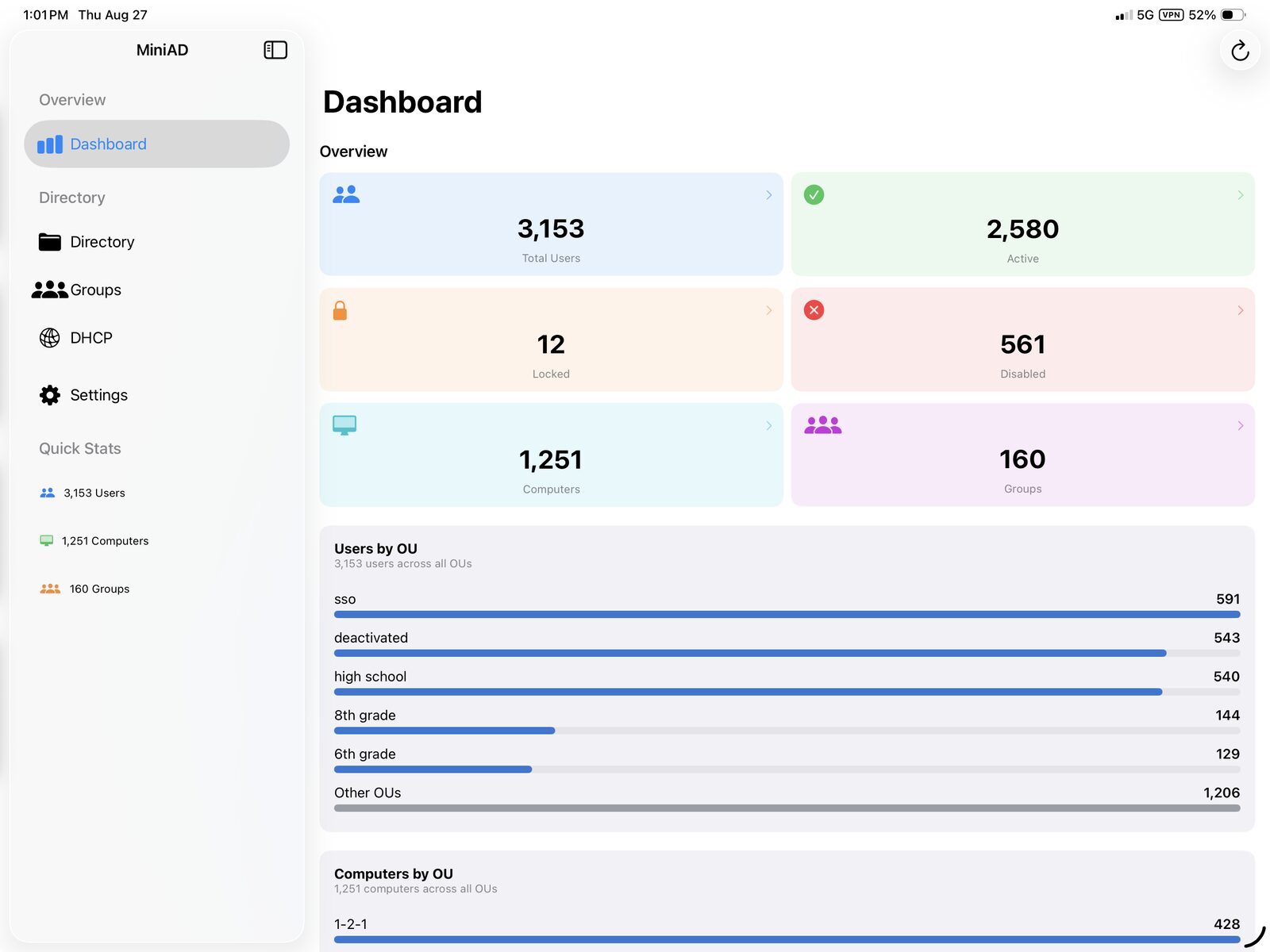
MiniAD dashboard on iPad showing user, computer, and group totals with a breakdown by organizational unit
Dashboard — account health at a glance, with users and computers broken down by OU.
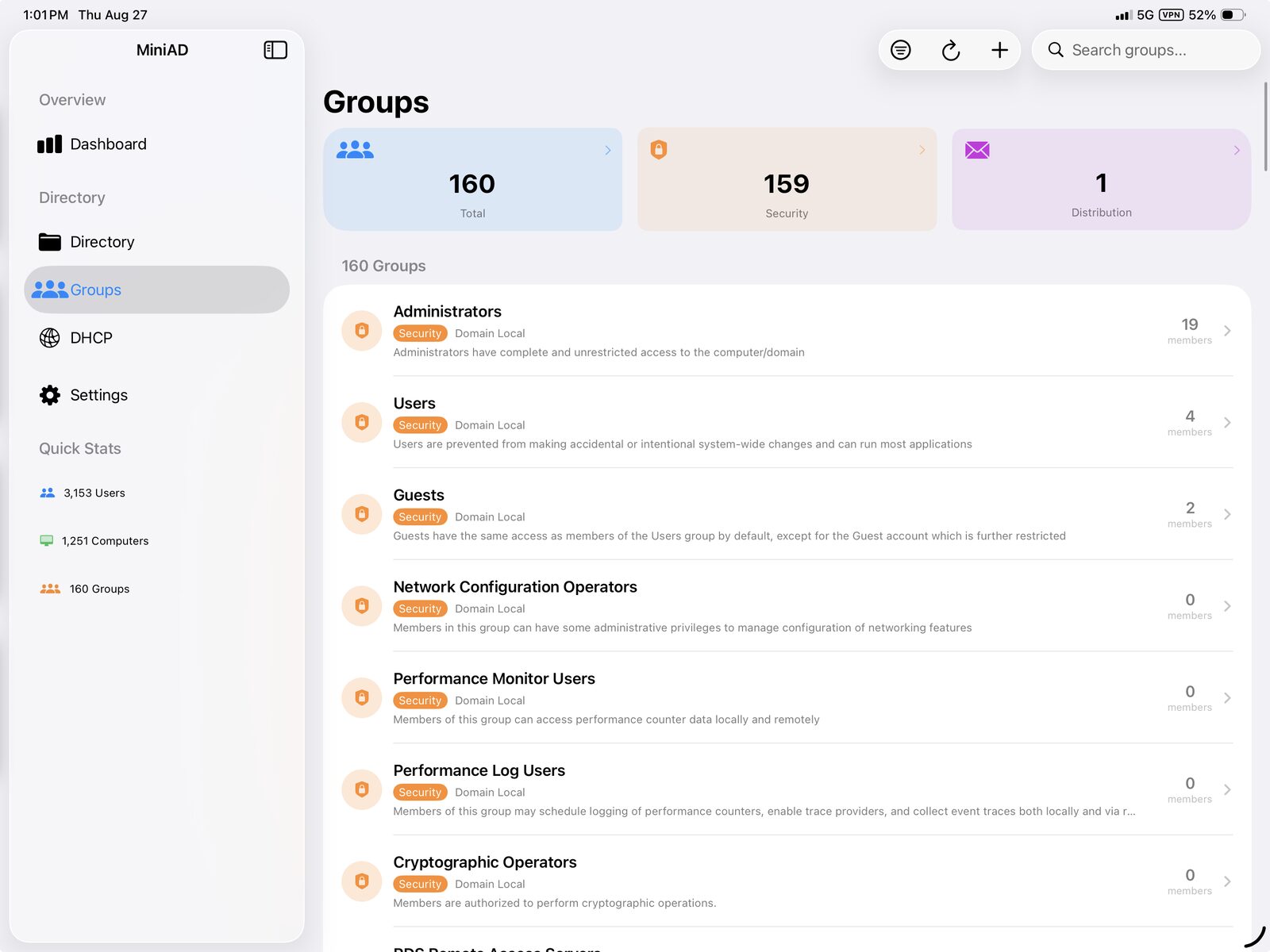
MiniAD groups list on iPad showing security and distribution groups with member counts
Groups — security and distribution groups with live member counts.
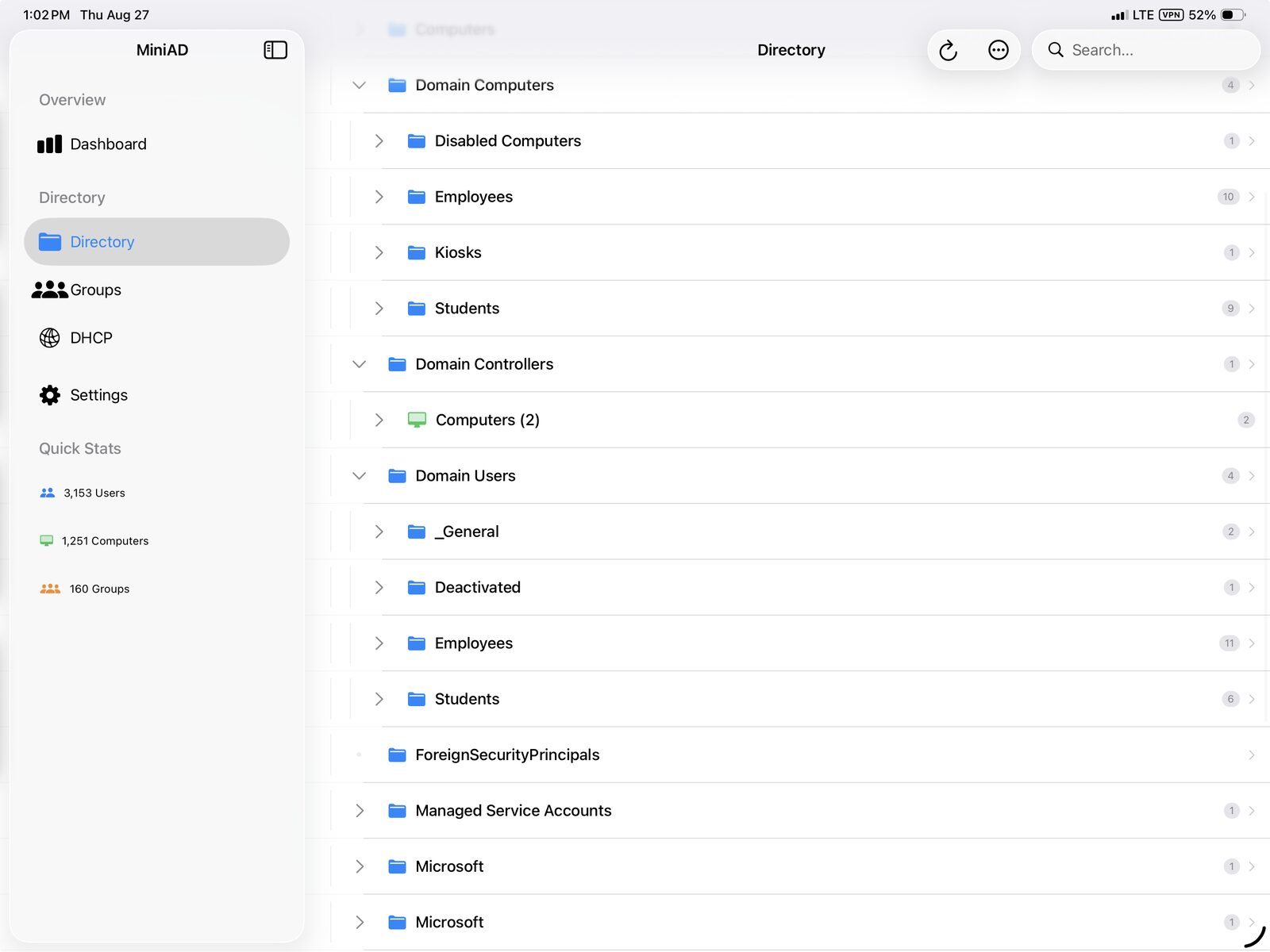
MiniAD directory tree on iPad showing nested organizational units
Directory — the full OU tree, expandable down to individual objects.
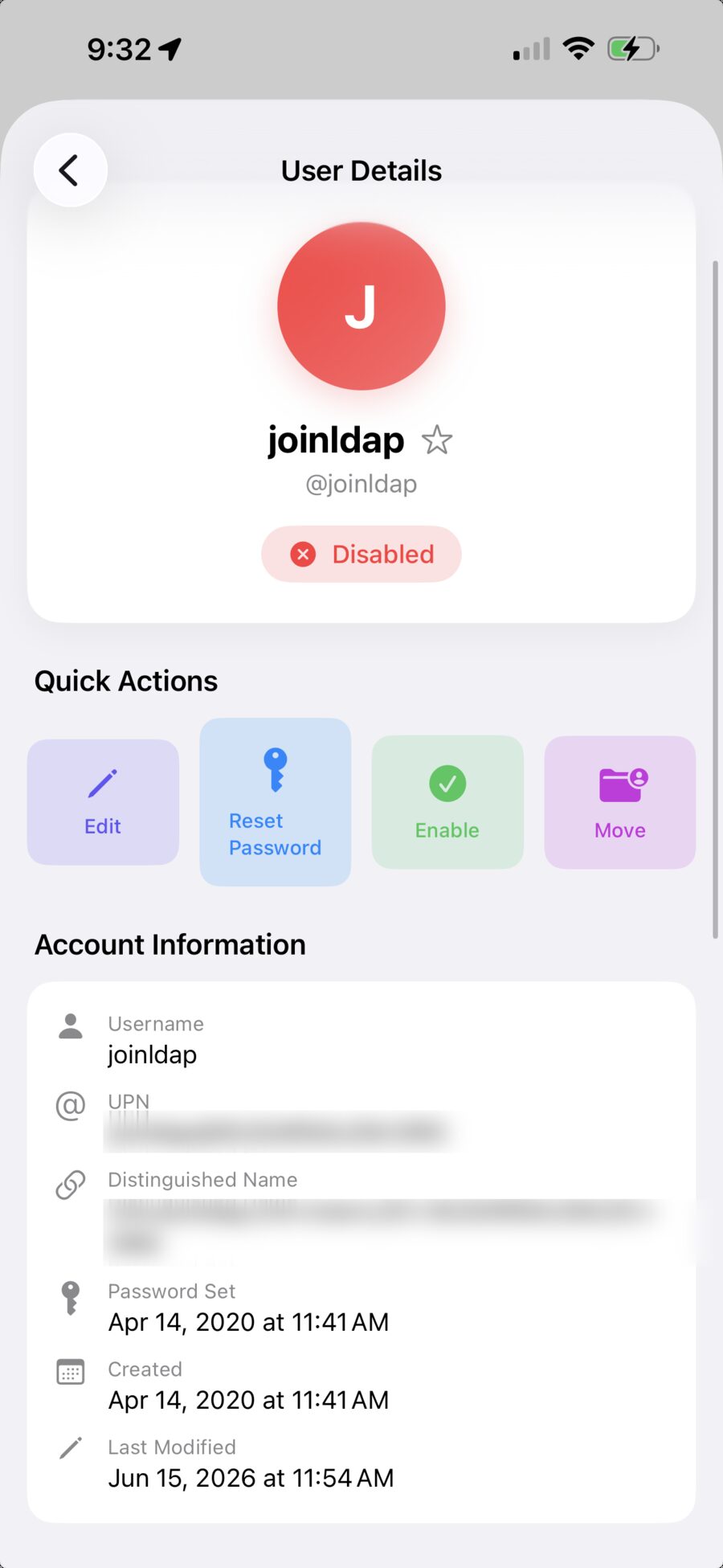
MiniAD user details on iPhone with quick actions for edit, reset password, enable, and move
User details — reset a password, unlock, enable, or move an account in one tap.
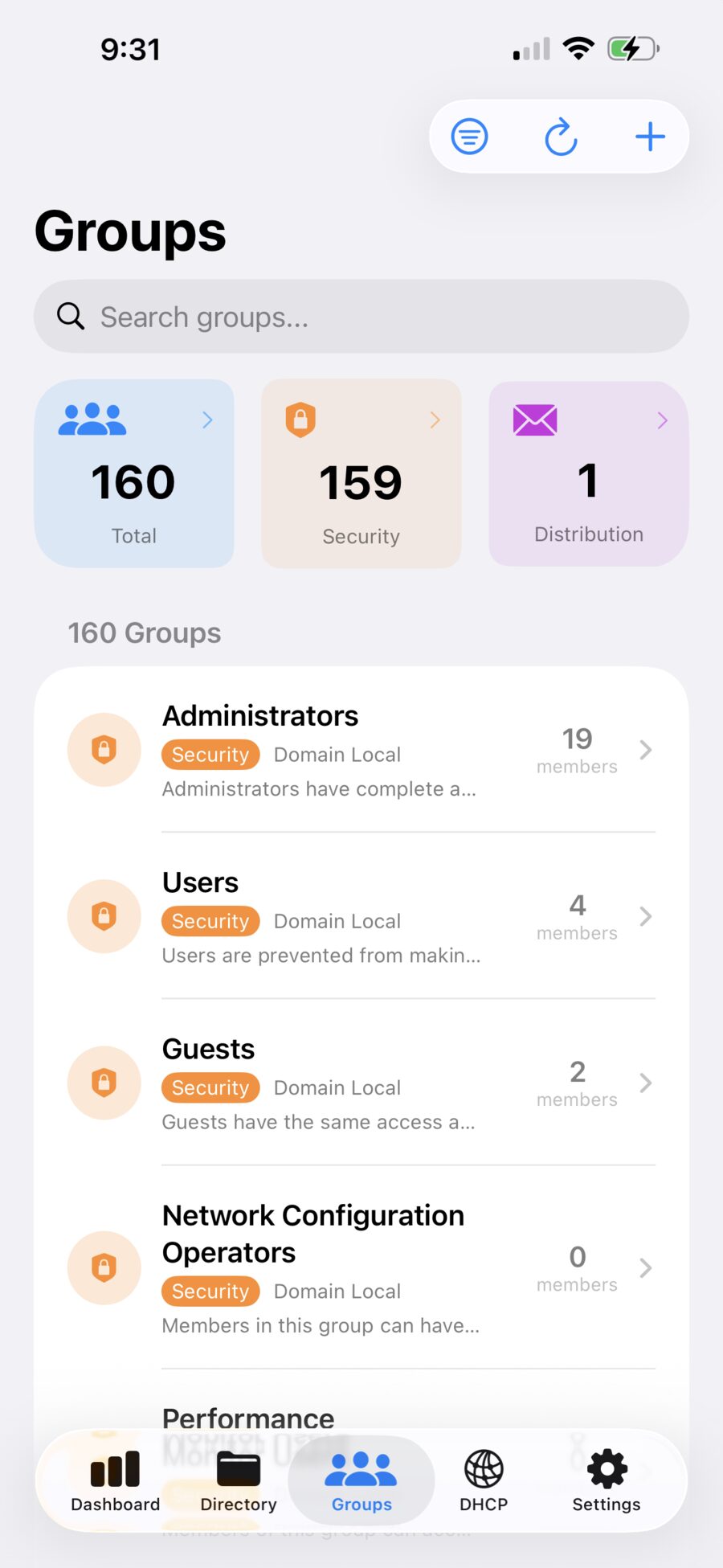
MiniAD groups list on iPhone
Groups on iPhone — searchable, with the same detail as the tablet layout.
MiniAD directory tree on iPhone showing organizational units and domain-joined computers
Directory on iPhone — browse OUs and see which machines are online.

AD without a desk.

On the App Store for iPhone and iPad. Your credentials stay in the device keychain.

Download on App Store → Back to all apps